
How CivicRecordsOnline works in detail.
A detailed tour of the clerk-facing workflow. Document redaction, request intake, deadline tracking, public portals, fee tracking, audit history, and bulk CSV import are included in every plan. Custom forms, sending domains, reporting, support options, seats, storage, and request volume vary by tier, and features that belong to a plan are marked below.
Privacy & redaction tools, included
Instant Privacy Scan, Find & Fix Everywhere, and the Permanent Safety Lock.
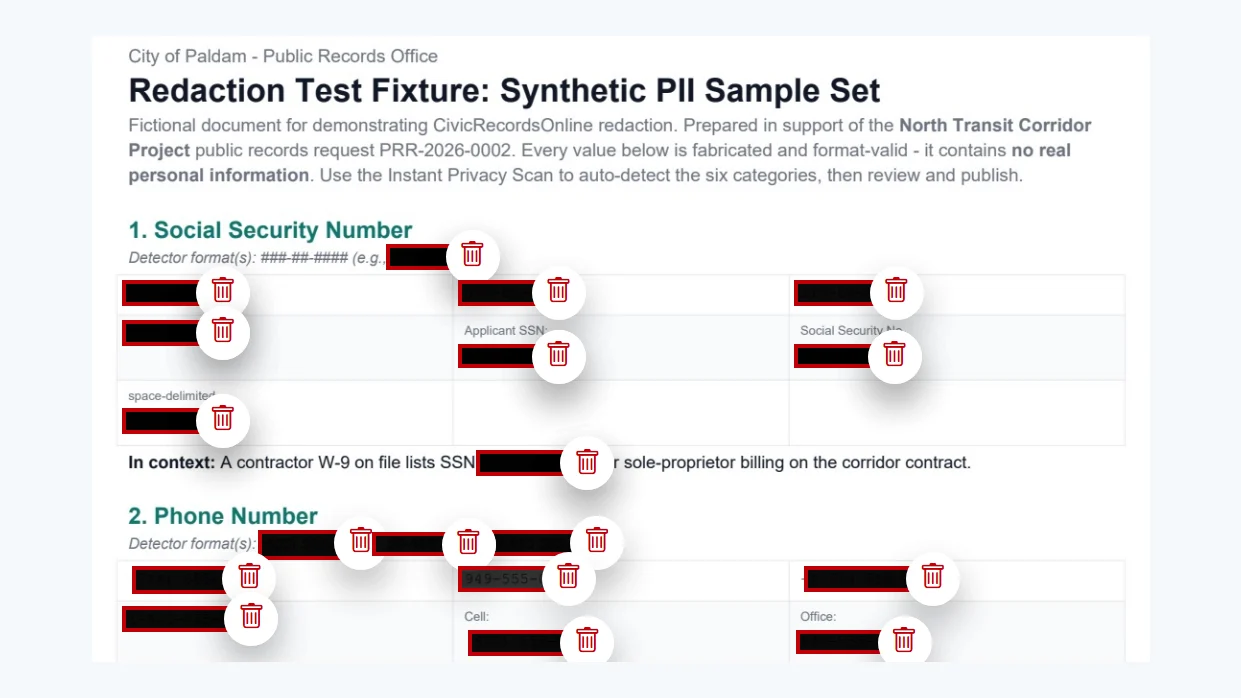
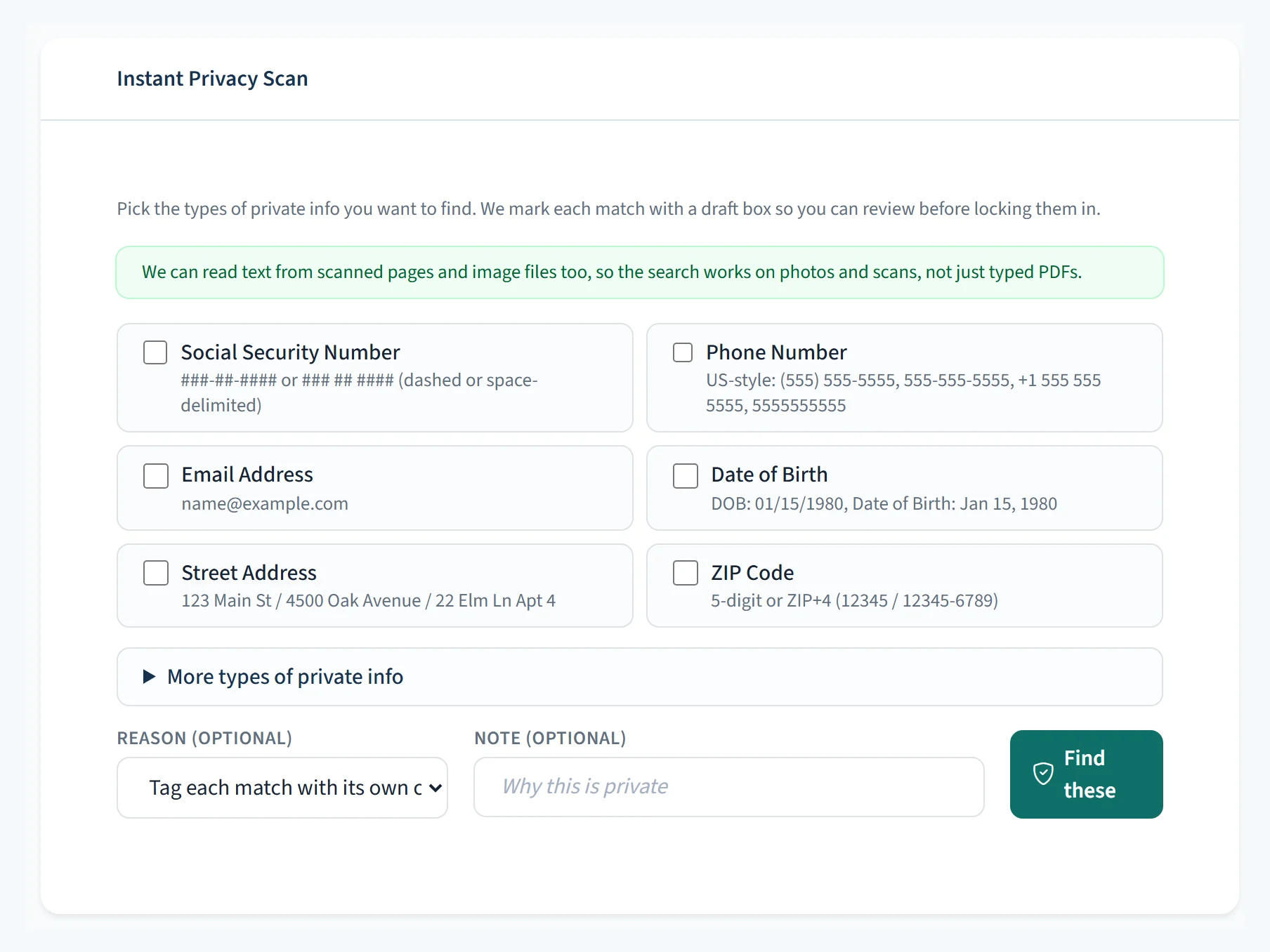
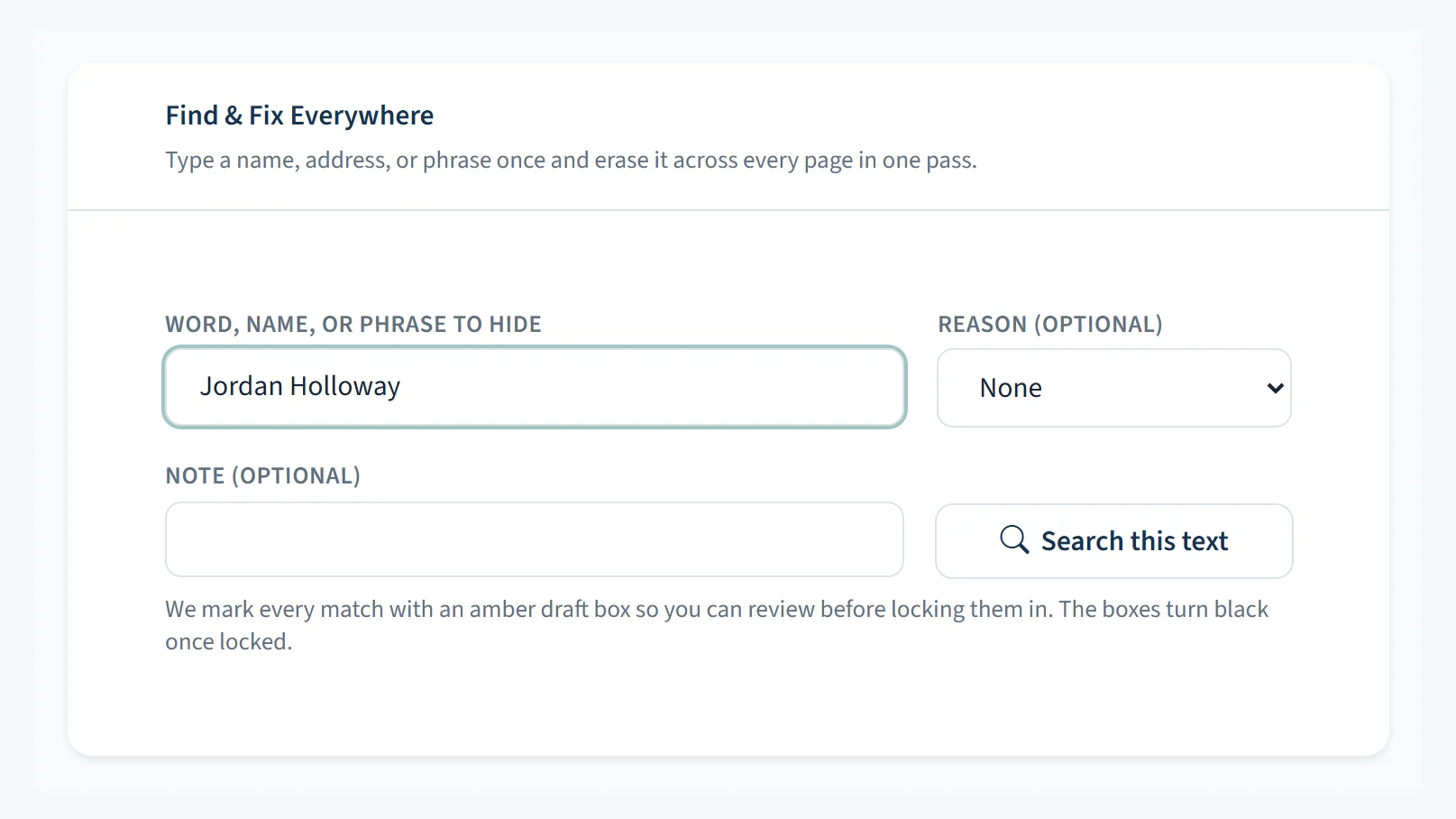
Open a supported document in the browser. The Instant Privacy Scan looks for configured patterns and creates draft redactions. Find & Fix Everywhere searches for text or patterns across the document, and manual tools handle anything else. Staff review the matches, decide which exemptions apply, and approve redactions before CivicRecordsOnline creates a separate flattened release copy. The source file remains unchanged while it is retained.
- Instant Privacy Scan — looks for common structured details such as Social Security numbers, phone numbers, emails, dates of birth, addresses, ZIP codes, driver license numbers, VINs, card numbers, and IP addresses, then proposes draft redactions
- Find & Fix Everywhere — search for a name, phrase, internal ID, literal value, or text pattern and apply reviewed matches across the document
- Sensitive Details Check — uses contextual rules to flag possible health details and names of minors for closer staff review; the agency decides whether an exemption applies
- Scanned-paper reading — reads the text out of supported scanned PDFs and images so staff can use the privacy scan and search tools; scan quality, unusual formatting, and handwriting can affect results
- Manual review tools — draw boxes or highlight text to redact anything the scan should not infer
- Exemption tagging — staff can associate a redaction with the exemption code they selected
- Draft review before release — nothing is published silently. Staff approve every redaction before the release copy goes out.
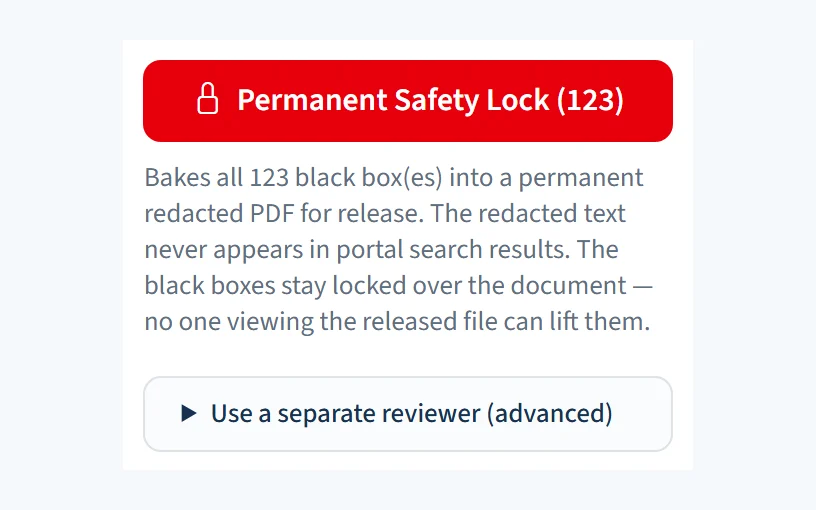
- Permanent Safety Lock — approved redactions are applied to a separate flattened release copy; the source file is not altered by redaction
- Defined matching rules — the scan uses pattern matching rather than a generative AI interpretation, and agency records are not used to train an external AI model
Your state's rules, built in
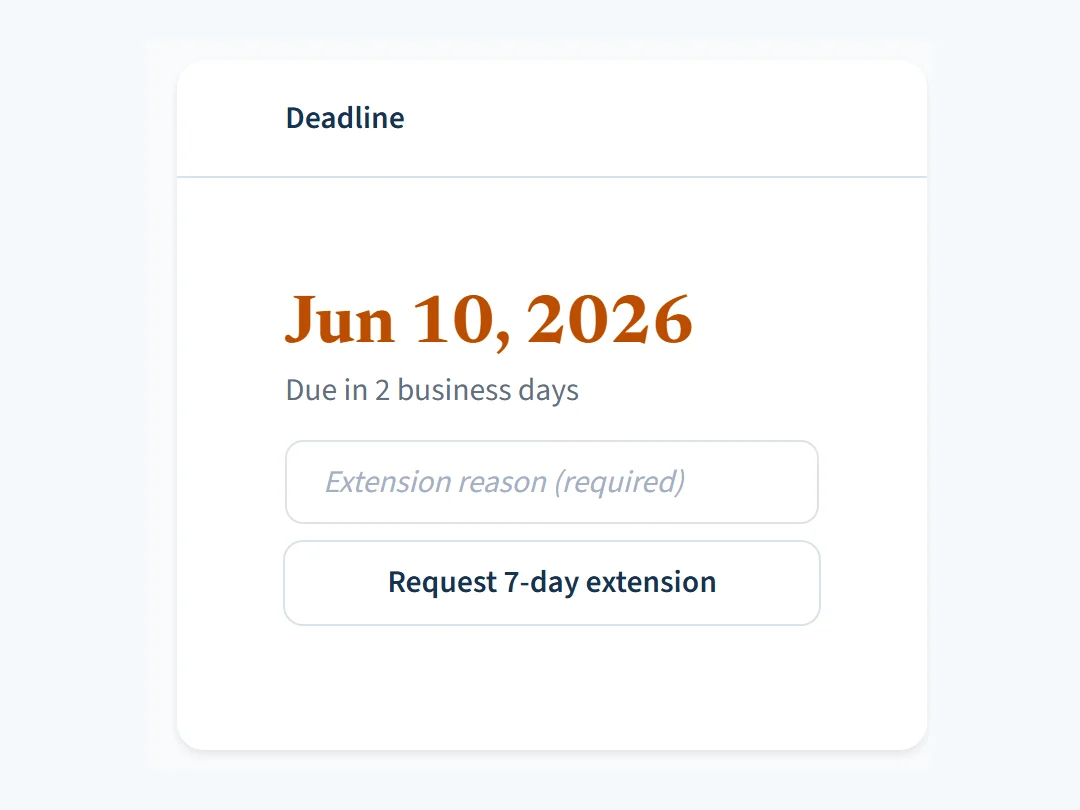
Deadline math you do not have to do yourself.
Choose your state during setup and review the included deadline and holiday settings. CivicRecordsOnline applies your saved calendar and timing rules to each request. Add local closures and policy choices before opening the public portal.
- Deadline, holiday, and exemption defaults for supported U.S. jurisdictions, configurable by agency
- Adjust any deadline rule and add custom exemptions to fit your agency
- Skips state holidays and your agency's local holidays
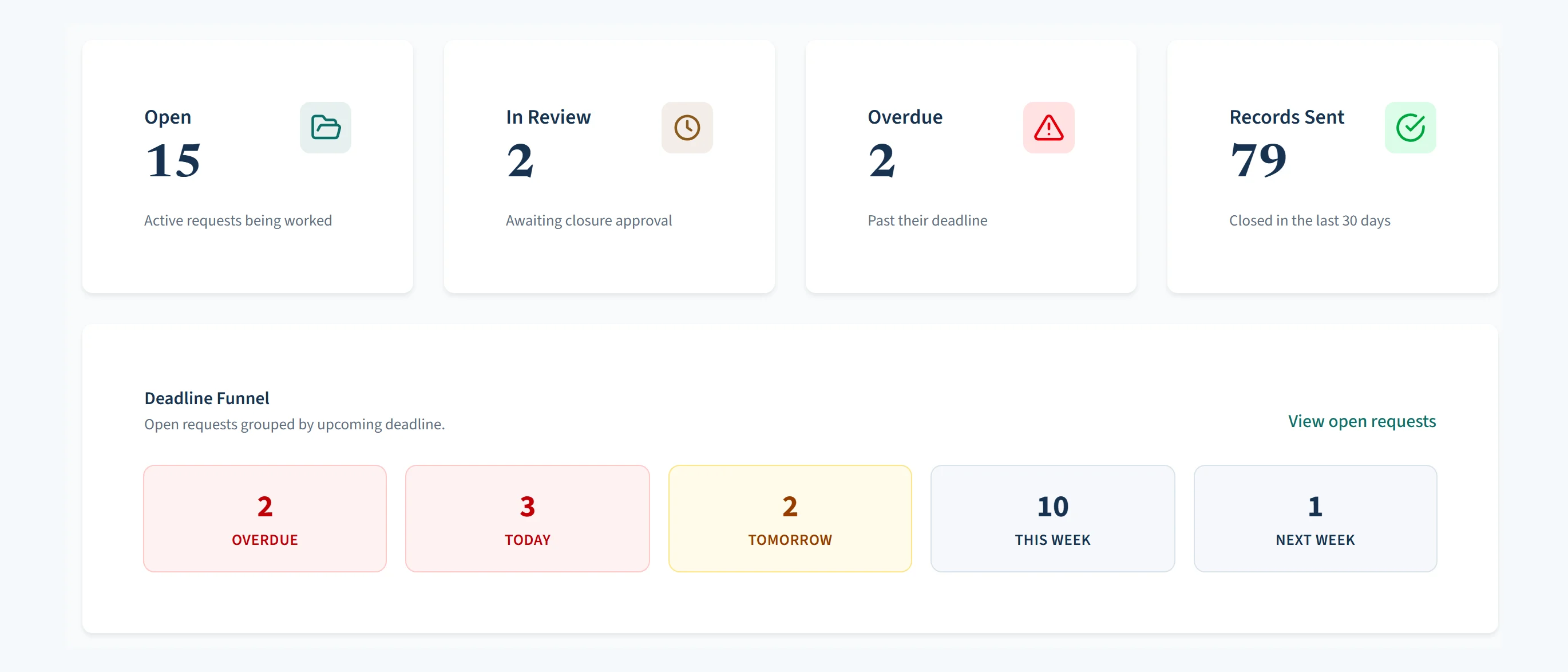
- Color-coded deadlines: green means you have time, yellow means soon, red means now
- Automatic reminders to staff before deadlines hit
- Record a configured clock pause while waiting on clarification, where the agency's rules allow it
- End-of-year compliance reports ready when your state asks for them
State laws and agency guidance change. Have your records officer or attorney approve the setup before you go live.
Stop doing the same work twice
If you already released it, the next person can just download it.
How many times has your office pulled the same budget, the same meeting minutes, the same salary schedule? The system keeps a Released Records Portal — sometimes called a FOIA reading room — a public page of records you have already released. When someone starts a new request, it checks if the answer is already available.
- A Released Records Portal where anyone can search and download what has been released
- When a requester starts typing, the system suggests matching records before they submit
- Track how many requests were answered without new staff work
- Report how often people viewed or downloaded published records
All your documents in one place
Upload, review, redact, and release without switching tools.
Drag and drop files into the request. View PDFs and images right in your browser. Mark what is internal and what is ready to release. When it is time, send the requester a secure download link.
- Upload files supported by the request workspace, up to the configured per-file limit
- Drag and drop multiple files or entire zip folders at once
- Preview PDFs and images without downloading them — redaction works on PDFs, PNG and JPEG images, and Word files, which get a PDF copy in one click
- Run the Instant Privacy Scan or Find & Fix Everywhere before a record leaves the request
- Requesters get a secure link that expires automatically
- Audio and video recordings — upload and release footage that was redacted elsewhere or needs no redaction, up to 100 MB per recording on District, 500 MB on Town, 2 GB on City, and 10 GB on Metro. Staff confirm a recording has been cleared before it goes out; redaction in the app covers documents and images
- During an active account, release copies remain with the request while source files follow the agency's retention settings
Departments and approvals
Route the work, gather the records, approve before anything goes out.
Requests go to the department that holds the records. The department uploads what it finds and hands the request back. Your agency decides who approves a release.
- Routing rules — new requests go to the right department by keyword, and a new rule can be applied to the requests already waiting
- New request alerts — staff hear when a request arrives for their department, and each person can turn the alerts off
- Ready for review — a department marks its request ready, and an approver checks the documents before anything is released. Agencies can require this step for department staff
- Approvers and Reviewers — choose which staff approve releases. Reviewers check requests and redactions before records go out, without access to settings or staff
- Department reports — department staff see reports for their own department only
- Ask a department, with search sign-offs (City and Metro) — ask each department for records and keep a signed record of where it searched
Fees, letters, and email
Estimates, invoices, and letters without retyping.
Track what a request costs and what has been paid, and send the paperwork from the request itself. Fees are collected through your agency's own payment systems.
- Fee tracking — fee estimates, itemized statements, and printable invoices; mark fees paid, due, or waived
- Printed letters — response letters on your letterhead, with the requester's mailing address placed for a standard window envelope
- Email from your agency — requester emails carry your agency's name, and replies come straight back to your office
- Sent email log (Town and up) — a searchable log of your emails to requesters, showing whether each was delivered, opened, or bounced
Reports and proof
Show your work to the council, the auditor, or a judge.
Every action on a request lands in its audit trail. These tools turn that record into something you can hand over.
- Year-end compliance report — response times and volumes by department, for your board or council
- Reports anyone can verify — printed audit and history reports carry a verification code, so anyone can check a copy against the file you issued, on your own portal
- Advanced reports (City and Metro) — compliance, staff workload, volume trends, and staff hours and cost for budget hearings
- Defense file (City and Metro) — a court-ready PDF of a request's history and released records
- Frequent and commercial requesters (City and Metro) — every request from the same requester on one page, and commercial-purpose fees where your state's law sets them
- Custom reports (Metro) — build and save reports from reusable templates for anyone in the agency to run
- Requester patterns for counsel (Metro) — export a file of requester patterns for your attorney
When a story breaks (Metro)
Many requests about one story, answered once.
When a local story draws a wave of requests for the same records, link them together and release the answer to all of them at once.
- Hot topics — link requests about the same story and answer them all at once
- Media heads-up — staff can turn on alerts for requests from news media, sent when the request arrives and when its records go out
Your retention schedule, followed
Working files follow the agency's retention settings.
Your agency's own records system stays the system of record for original documents. CivicRecordsOnline holds working copies while you process the request, and is the system of record for the request file itself — the deadlines, correspondence, released copies, and audit trail. Under Settings → Retention (and in the setup wizard), you set how many days after a request closes those working copies are cleared. Your schedule, your decision — the system carries it out.
- Retention schedules — source files are cleared a set number of days after the request closes. The starting number is 180 days, raised automatically where your state allows records disputes for longer, adjustable from 30 days to 10 years, and clearing can be turned off entirely. Nothing is cleared until you save your retention settings during setup — the schedule runs on your decision, not ours
- What the source-file purge does not clear — during an active account, the source-file purge leaves release copies, the request record, and audit history in place
- Proof after clearing — every cleared file leaves a fingerprint in the audit trail, plus its name, size, and type on the request, so you can prove the copy in your own records system is identical, byte for byte, to the file the redactions were applied to
- Automatic closing — after records are sent, a request with no activity closes on its own. The default is 30 days, adjustable from 7 to 365, and it can be turned off. The requester gets an email, and staff can re-open the request at any time
- Litigation hold — a lead clerk or administrator can exempt a request from automatic closing and source-file purging while the hold remains active
- Set it to match your records retention schedule — if you are not sure what number fits, ask your agency's attorney
Switching from another system
Bring your request history with you.
Export request metadata from a supported system as CSV, upload it from Settings → Bulk Import, review the mapping, and run the import. Supported dates, statuses, requester contact information, and source IDs can be retained. The importer does not move document files; on City and Metro, an optional one-time records import brings them over too.
- Direct CSV format support for NextRequest, GovQA, JustFOIA, FOIAXpress, and MyGovHub exports
- Generic CSV format for everything else (Tyler exports, internal spreadsheets, custom systems)
- Downloadable CSV template so you know exactly what columns to map
- Retain supported source dates for the imported request record; current deadline behavior also depends on the agency's saved configuration
- Map supported source statuses and report rows that need correction
- Per-row error reporting with one-click retry for the rows that did not import cleanly
- Full import history kept under Settings, including who imported what and when
Your previous system can stay accessible as read-only while CivicRecordsOnline takes over new requests, or files can move on your own timeline.
Support built into the app
Open a ticket, attach a screenshot, watch the status.
Staff can open a support ticket inside the application, attach relevant files, reply in a thread, and review the agency's previous tickets.
- Open a ticket from the staff portal — subject, category, message, attachments
- Attach screenshots, problem PDFs, or error exports (up to 10 MB each, 25 MB per ticket)
- Categorize as General, Issue, Billing, or Setup so the right person picks it up
- Mark Urgent for issues blocking the office
- Watch status update from New → In Progress → Resolved without refreshing your inbox
- Threaded back-and-forth with support, every reply timestamped on the ticket
- Full ticket history kept per agency — when a clerk leaves, the next clerk can see what was already asked
- Each ticket gets a number (SUP-2026-XXXXXX) you can quote when emailing
- Email notification on every reply so you do not have to log in to know it was answered
Security and data handling
Azure hosting, role-based access, and documented data handling.
Data is hosted on Microsoft Azure in US regions, encrypted at rest using Azure controls, and encrypted in transit over HTTPS. Redaction scanning uses defined matching rules rather than generative AI, and agency records are not used to train external AI models. Review the IT page for scope and limitations.
- Data encrypted at rest using Azure controls and in transit over HTTPS
- Role and department scope control staff access
- Data hosted on Microsoft Azure in US regions
- Source files follow agency retention settings; account closure and deletion follow the documented data lifecycle
- Every draft, review, publish, and release action is captured in the audit trail
- Accessible for users with disabilities
- Microsoft and Google work-account sign-in are available on every plan
- Security and data-handling details for IT review
See the product? Start using it.
Free 30-day trial for eligible government agencies · plans from $99/mo · no credit card required to try it.